If you have been in the RC hobby for a while, you probably have a collection of cars and a pile of different remote controllers taking up space. This inevitably leads to a common question: Can you use different remote controllers with RC cars, or do you have to use the one that came in the box?
Whether you want to upgrade to a better radio system, replace a broken controller, or control multiple cars with a single remote, understanding compatibility is crucial. In this complete guide, we will break down exactly how RC radio systems work and how to safely swap your controllers.
Direct Answer: Yes, you can use different remote controllers with your RC cars—but only if they are compatible with the car's receiver.
Compatibility is not about matching the "brand" of the car to the remote. Instead, it depends entirely on the frequency, the communication protocol, and whether the remote is paired (bound) to the correct receiver inside the vehicle.
In short: Not all RC remotes are universal out of the box, but almost any hobby-grade RC car can be upgraded to use a universal remote.
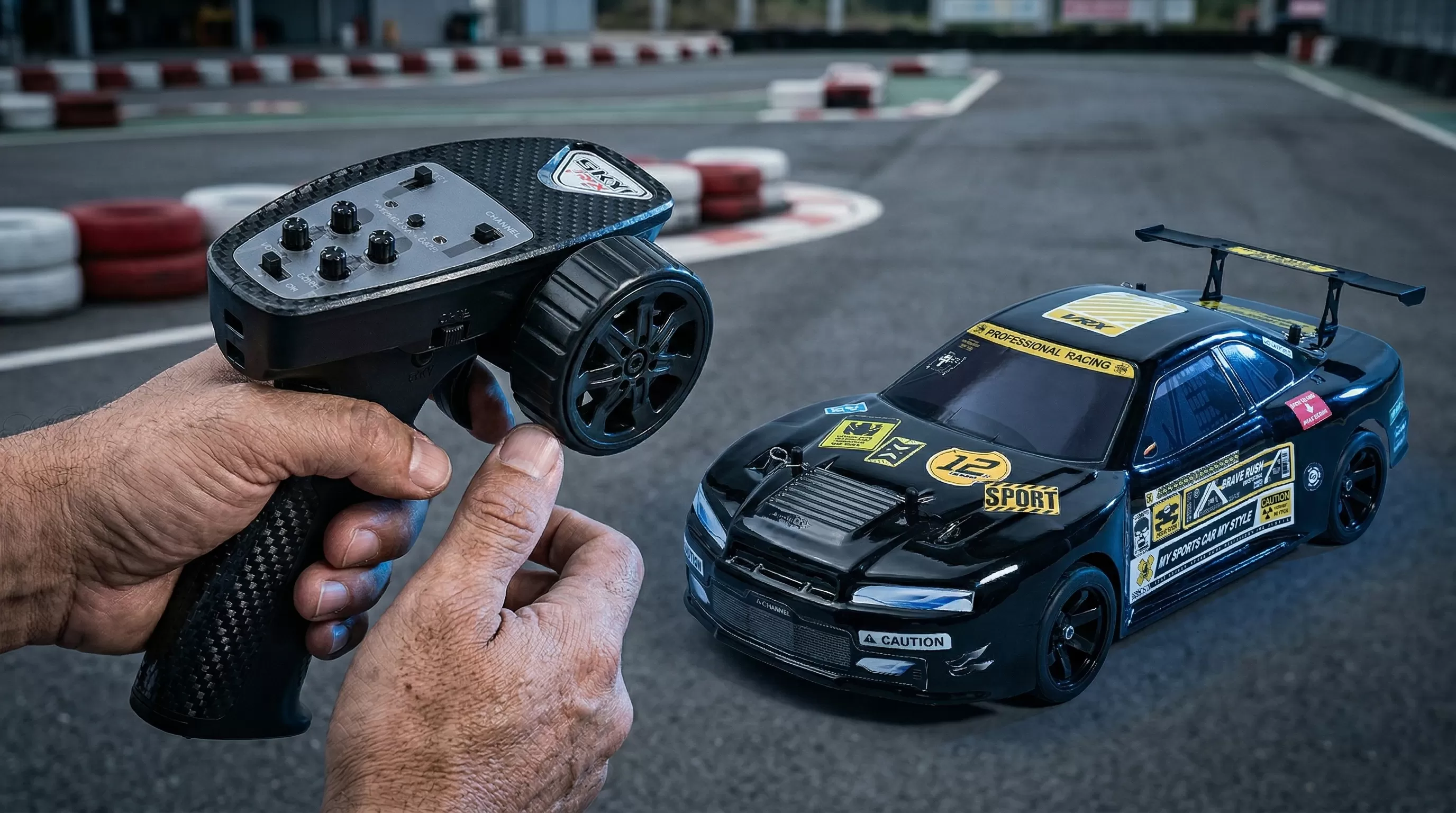
To understand compatibility, you need to know how the two main components of an RC radio system talk to each other:
1. The RC car Transmitter (Remote): This is the controller you hold in your hands. It translates your finger movements (throttle and steering) into radio signals.
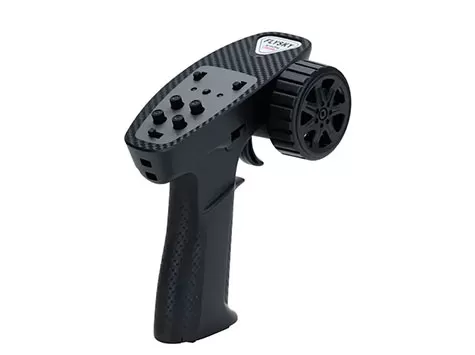
2. The Receiver (RX): This is the small electronic box mounted inside the RC car. It catches the signal from the transmitter and tells the motor and steering servo what to do.
For the car to move, the transmitter and receiver must be operating on the exact same 2.4GHz frequency and be digitally "bound" (linked) to each other.
If you pick up a random remote, it will not instantly control your car. Compatibility is determined by these three core factors:
Factor | Why It Matters |
1. Frequency | Older toy cars use 27MHz or 49MHz, which suffer from interference. Modern 14+ hobby-grade cars use 2.4GHz. A 2.4GHz remote cannot control a 27MHz car. |
2. Protocol (Language) | Even if two remotes are 2.4GHz, they might speak different digital "languages" (protocols) depending on the manufacturer. |
3. Receiver Matching | A transmitter will usually only talk to its matching brand/model of receiver. You cannot use a Spektrum remote to talk to a Traxxas receiver. |
Hobbyists frequently ask if they can use Brand A's remote to drive Brand B's car. Here is the rule of thumb:
Using the Stock Receiver: If you leave the original factory receiver inside the car, a different brand's remote will almost never work. The protocols will not match.
Changing the Receiver: If you remove the original receiver and install the receiver that came in the box with your new remote, it will work perfectly.
Example: You can absolutely use a high-end universal 2.4GHz remote on a basic RC car, as long as you plug that remote's specific receiver into the car's Electronic Speed Controller (ESC) and steering servo.
Ready to swap your controller? Here is how to install and use a different radio system in your RC car:
1. Identify Your Current System: Check if your RC car's ESC and Receiver are two separate boxes (standard in hobby-grade) or a 2-in-1 combo unit. If they are separate, you can easily upgrade!
2. Buy a Compatible Transmitter + Receiver Combo: Always buy them as a set to guarantee they share the same protocol.
3. Install the New Receiver: Unplug the steering servo and ESC from the old receiver. Plug them into the matching channels on your new receiver (Channel 1 is usually Steering; Channel 2 is usually Throttle).
4. Bind the System: Turn on the transmitter and the car. Follow the manufacturer's manual to initiate the "Binding" process (usually pressing a small button on the receiver).
5. Test Your Controls: Lift the car off the ground and test the throttle and steering to ensure everything moves in the correct direction.
If you swapped your remote and things aren't working right, here are the most common culprits:
Failing to Bind: The transmitter and receiver must be put into "bind mode" at the exact same time. If they flash but don't connect, the protocols may be mismatched.
Reversed Controls: If you pull the trigger and the car goes backward, don't panic! Simply find the "Throttle Reverse" switch on your new remote and flip it.
Signal Lag or Jittering: This is usually caused by a dying battery in the car or the remote, or wire interference inside the chassis.
You don't need to replace your remote just for the sake of it. You should consider upgrading if:
Your current remote is physically damaged or suffering from "stick drift."
You want longer range and zero signal dropouts.
You want to control multiple cars with one remote (many high-end remotes can save 10+ different vehicle profiles).
You need finer adjustments for steering trim and throttle endpoints.
Upgrading your radio system is one of the best investments you can make in the hobby. A premium transmitter for RC gives you faster response times, a more stable signal, and incredibly precise throttle and steering control—which is essential for high-speed brushless cars or delicate rock crawlers.
At VRX Racing, we design our 14+ hobby-grade RC cars to be as reliable and user-friendly as possible. That is why all of our Ready-to-Run (RTR) models come equipped with highly stable 2.4GHz radio systems.
For B2B distributors and hobby shops, our radio systems offer major advantages:
High Anti-Interference: Multiple VRX cars can be raced side-by-side without crossing signals.
High Compatibility Design: We use standard, modular receivers and ESCs. If an end-user wants to upgrade to a specialized racing remote later, replacing the receiver is incredibly easy.
Easy Maintenance: Standardized electronics mean lower return rates and easier parts replacement for hobby shops worldwide.
Which type of remote is right for you?
Controller Type | Pros | Cons |
Brand-Specific (Stock RTR Remotes) | Very simple to use; guaranteed to work perfectly out of the box with your car. | Limited adjustability; you need a separate remote for every single car you own. |
Universal / Aftermarket Remotes | Highly adjustable; can control multiple cars; extremely fast response times. | More expensive upfront; requires you to buy and install matching receivers for every car. |
1. Can any RC remote work with any car?
No. A remote must operate on the same frequency (like 2.4GHz), use the same digital protocol, and be bound to a compatible receiver inside the car.
2. Do I need to change the receiver?
Yes. If you are switching to a completely different brand or model of remote controller, you almost always need to install the receiver that comes with that new remote.
3. How do I bind a remote to an RC car?
Every brand is slightly different, but generally, you press and hold a "Bind" button on the receiver while turning the car on, then activate the bind mode on your transmitter until the LED lights turn solid.
4. What frequency is best?
2.4GHz is the absolute standard for modern hobby-grade RC cars. It offers the longest range, fastest response, and prevents interference from other drivers.
You are never permanently stuck with the remote controller that came in the box. You can absolutely use different remote controllers for RC cars—but compatibility depends entirely on matching the transmitter to the correct receiver system, not just the brand of the car.
Whether you are sticking with a reliable stock 2.4GHz system or upgrading to a high-end multi-model transmitter, having a stable connection